
How to Search Civil Dockets
Indiana MyCase is the first stop for a Warren County civil docket. Search by Case works best when an official notice gives you the number. Warren numbers begin with county code 86. The code is followed by court, filing year and month, case type, and sequence. Take the real number off a court paper. Never guess one from the pattern.
Search by Name takes a last name or exact business name. Choose Warren County, then pick Civil, Family, or Probate. Add a first name or filing range only if results are too broad. Birth dates often go unrecorded in civil cases. Adding one can bury the right match. You can also reach the Clerk counter by phone, mail, or fax. Give the case number, party, case type, and approximate date. Say plainly whether you want inspection, a plain copy, or a certified copy.
- Try the exact case number in MyCase.
- Otherwise search a party or business name.
- Select Warren County and the proper civil category.
- Compare court, filed date, type, and party role.
- Read the CCS through its newest entry.
- Contact the Clerk when a record is missing.
Warren Civil Pleadings and Rulings
A civil docket reads as a sequence, not a one-line answer. The complaint or notice of claim states one party's position. The answer or counterclaim states another's. A summons or service entry records a procedural act. None of these is a judicial finding.
A motion asks Warren Circuit Court to act. An order records what the judge directed. A hearing setting only marks planned activity. Read the later order, judgment, dismissal, or other result before describing what happened. Even a judgment may be followed by payment, execution, appeal, a judgment transcript, or satisfaction.
Reading order: Pleading → service → response → motion → hearing → order or judgment.
What a Civil Docket Shows
A Warren County civil court docket pairs a case header with the Chronological Case Summary, or CCS. Some entries link to a filed document. Many are just descriptive lines. Use the header to confirm the match and the CCS to follow procedure.
| Case header | Number, style, Warren Circuit Court, type, filed date, and status. |
|---|---|
| Parties | People, businesses, agencies, estates, and their procedural roles. |
| Service | Summons, notice, return, or other service activity. |
| CCS events | Pleadings, motions, hearings, orders, payments, and administrative entries. |
| Judgment | The adjudication, which may lead to enforcement or satisfaction. |
| Documents | Selected nonconfidential filings and orders allowed for remote display. |
An online financial figure is not a certified ledger. Confirm balances and official status with the Warren County Clerk.
Warren Small Claims and Eviction Resources
The Warren County Clerk page links a Notice of Claim, Small Claims Manual, eviction material, title forms, and supplemental-proceedings material. Warren Circuit Court is the county's only trial court. So one office supports both filing and record access.
A form is not a ruling. It also does not prove a case was filed. Once accepted, a small-claims or eviction case can generate entries for filing, service, appearance, hearing, judgment, or enforcement. Confirm current venue, service, fee, deadline, and form questions with the Clerk or qualified counsel. Do not infer them from an old docket.
| Event | Meaning | Limit |
|---|---|---|
| Notice of claim | A claimant began a request. | It does not prove the claim. |
| Service return | Service activity was recorded. | It does not prove judgment. |
| Hearing setting | A court event was planned. | It may later move. |
| Judgment entry | The court recorded an adjudication. | Payment may remain. |
Types of Civil Cases on the Docket
Warren Circuit Court holds general jurisdiction over civil matters. Search categories span general claims, contracts, torts, property disputes, small claims, eviction, family matters, probate, and estate work. That is a wide range. The MyCase category you pick shapes the results and which documents appear online.
Case type is more reliable than a party name for understanding a record. Family and probate matters may show public docket information but fewer viewable documents. Juvenile, paternity, mental-health, protection-order, and other special cases follow distinct access rules.
- General civil, contract, tort, and property claims
- Small claims and eviction matters
- Dissolution, custody, support, and family cases
- Probate, estate, will, and guardianship matters
- Post-judgment and supplemental proceedings
Warren Motion Hour and Proposed Orders
Warren local rules set motion hour from 8:15 to 9:00 a.m. on days court is in session. Thursdays are excepted. That practice explains a quirk of the Warren County civil docket: a short motion setting instead of a trial date. A self-represented conference may occur by Zoom and become part of the record. It generally runs under 15 minutes.
The rules also require a proposed order to be submitted separately with a motion. Failure can bring denial or striking. A docket can show that a motion and proposed order were filed. Filing does not mean relief was granted. Check the later signed order and the current Warren local rules.
Settings and Hearings on Civil Dockets
A Warren County civil docket may list motion hour, conference, mediation, evidentiary hearing, bench trial, jury trial, or another setting. These settings are common. The description, session date, time, judge, and location identify planned activity. They say nothing about who appeared or what the court decided.
Scheduling orders and continuances can move deadlines and hearings. Read forward in the CCS for a reset, cancellation, or order. Court Calendar shows only a limited public window, while the docket preserves a broader history. The Warren County court calendar walkthrough explains how to verify a current setting.
- Setting
- A planned court session tied to a case.
- Continuance
- An order moving an event to a later date.
- Motion hour
- The short-setting period in Warren's rules.
- Judgment
- An adjudication that may be followed by later activity.
IEFS and the Warren Filing Trail
Indiana Trial Rule 87 governs filing through the Indiana Electronic Filing System, or IEFS. Attorneys in Warren must e-file. Other filers are encouraged to use an approved provider. A Notice of Electronic Filing can become part of the service trail and show when a submission entered the system.
The official text at Indiana Trial Rule 87 spells out the details.
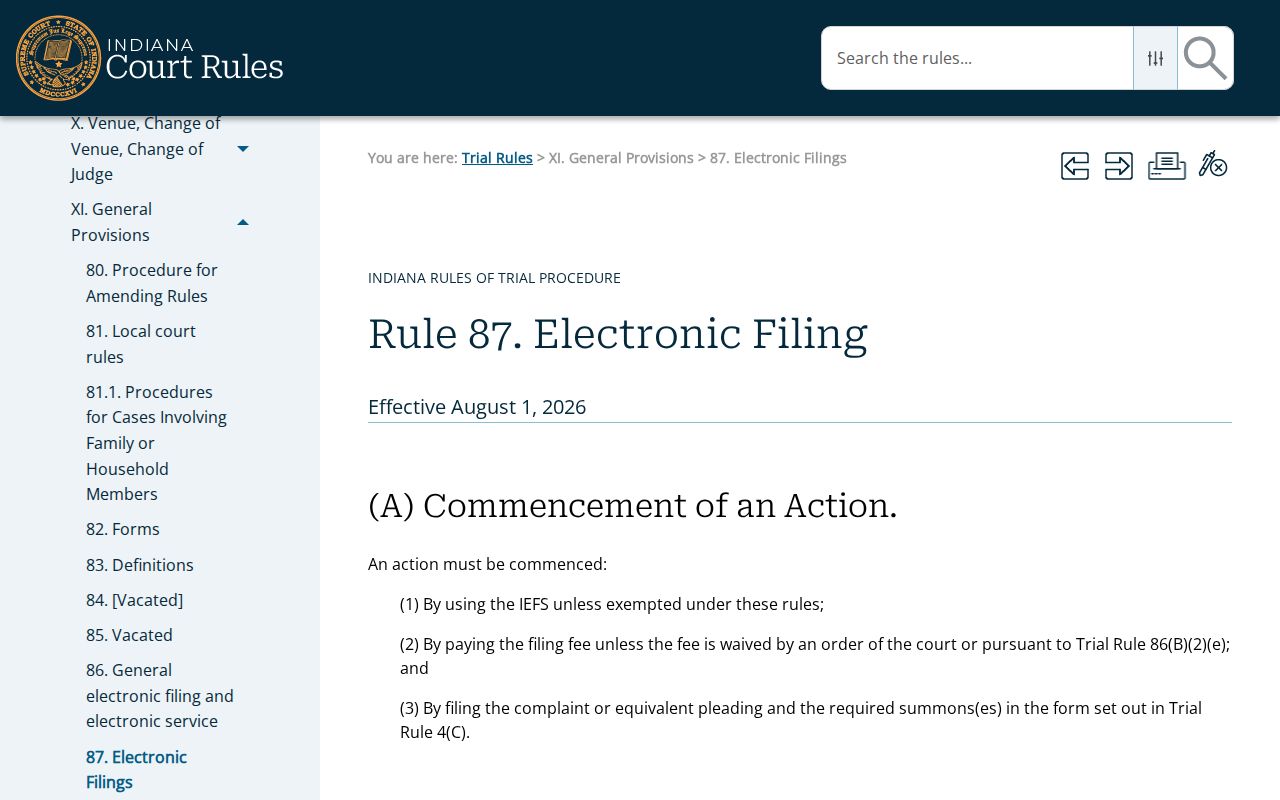
The rule also addresses exceptions and conventional filing. A provider receipt proves submission activity, not judicial acceptance and not a ruling. Read the Warren docket for the later order.
Family and Probate Privacy in Warren
Family and probate files need a careful eye. Warren local rules cover parenting classes. They also cover custody and parenting orders, mediation, unsupervised estates, and original wills or codicils. Those labels can show up in a public classification or the CCS. Yet the substance stays hidden. Reports, medical facts, child information, and other protected content do not surface for the public.
Indiana's MyCase access matrix breaks down availability case type by case type. A public order may appear online. Other public Warren County court records sit behind courthouse inspection or a Clerk request. Parties and their attorneys see more than an anonymous user. And a missing link? It tells you nothing about whether a filing exists.
Probate readers should separate the estate docket from the original instrument held through the court process. Family-case readers should likewise avoid treating a label as a public account of its contents. A class, mediation, evaluation, or report label is not that. Note the case code, the CCS date, and the entry description. Then ask the Clerk which level of access applies. That approach keeps the useful public chronology intact. It also honors records Indiana rules reserve for parties, counsel, or other authorized people.
Public Access to Civil Dockets
Indiana's court-record rules start from openness. But privacy, safety, privilege, and statutory confidentiality all carve out exceptions. Remote MyCase access is narrower than a walk into the courthouse. Even a fully public Warren County civil docket can hold a sealed, excluded, or redacted document. Rule 5 governs confidential cases and records. It covers many medical, mental-health, treatment, supervision, child-related, privileged, and protected-personal-information materials. Administrative Rule 9, in turn, separates remote, courthouse, bulk, and special access.
Indiana access rules:
Access Rule 4 states the general access rule.
Access Rule 5 identifies excluded records.
Administrative Rule 9 addresses remote and courthouse access.
An official Warren record request starts with two things. Bring the case number and the exact CCS entry. Take those to the Clerk and ask for inspection, an ordinary copy, or certification.
A good request names one case and one record, not every item tied to a person. Give the Warren case number. Then give the document title or CCS description, the entry date, and the format you want. Say whether you are after courthouse viewing. Or ask for a plain copy, or a certified copy bearing the Clerk's authentication. Ask about redaction, fees, delivery, and payment before mailing anything. Want a transcript or audio record instead? Use the court reporter route, because a docket line only summarizes the event. A focused request like this helps the Clerk locate the right public item. It also keeps a case summary from being mistaken for the complete official file.